AppVentiX 3.4 is now available!

Splash_Small

What’s new in AppVentiX 3.4

  • Agent push: it’s now possible to remotely push the agent installation to machine(s), this makes it easy to install and upgrade the agent directly from the Central View console. Silent and automated installations are still possible.
  • The OU picker has been re-designed and gives a better experience when a machine group is configured
  • You can now select multiple machines in the machine inventory, this makes it possible to inventory only selected machines and invoke the refresh cycle on only selected machines instead of the whole machine group
  • New columns have been added in the content inventory: You can now see the package size and other detailed package information in the content inventory.
  • Extended support for seamless application publishing scenarios (RemoteApp without full desktop), besides applications from the package it’s now also possible to select scripts and native processes.
  • You can now see which packages have a deployment configuration file configured in the content inventory
  • The Azure Virtual Desktop (AVD) integration has been enhanced and it’s now also possible to easily switch between subscriptions and tenants. This makes it easy to manage multiple AVD environments across different subscriptions.
  • Improved support for Azure file shares
  • Support for nested groups and multi-domain environments has been enhanced
  • The agent can now enable the App-V client, no need to enable it separately
  • The agent can now enable remote management automatically
  • You can now see which content share(s) have pre-cache enabled in the content inventory
  • The MSIX app attach conversion and integration has been enhanced
  • Enhanced MSIX package update process
  • Enhanced integration with Fslogix and support for Java rule sets have been added
  • The installation and upgrade has been simplified and the time to get up and running has been reduced
  • Multiple other fixes and improvements

AppVentiX has a free community version and installs under 10 minutes, AppVentiX doesn’t need any back-end infrastructure. You will get immediate results which will make you confident about releasing new applications and updates in real-time. AppVentiX supports Azure Virtual Desktop (AVD), Windows 365, VMware and Citrix deployments both on-premises and in the cloud. Both persistent and non-persistent configurations are supported. The solution is powerful, light weight and integrates easily in your existing environment.

Check out the AppVentiX 3.4 release notes (including screenshots) here:

AppVentiX 3.4 Release

Remote Display Analyzer 2205 released

Hi all,

Happy to announce that a new version of Remote Display Analyzer (RDA) has been released: RDA version 2205.

What’s new in Remote Display Analyzer 2205:

  • Remote Display Analyzer now supports Windows 365
  • Support for Nutanix Frame has been added
  • Citrix Rendezvous 2 detection has been added
  • Support has been added for all the latest Microsoft, VMware and Citrix protocol versions
  • You can now start Remote Display Analyzer in minimized mode with a parameter (for all parameters click on the about (i) button at the top of the RDA window)
  • Various bug fixes and improvements

Thanks for all the community feedback received. Version 2205 is now available on the website.

Connection Experience Indicator for RDS, AVD & W365 logging feature

Hi everyone, hope you are doing well. I created a tool for RDS, AVD and Windows365 environments that notifies users about changes in the user experience. It is called the Connection Experience Indicator. The tool is very popular and I receive a lot of great feedback, thank you very much for this.

If you want to download or read more about the Connection Experience Indicator (CEI), please check the original blogpost

The new logging feature will submit connection state changes to the event log. This events can easily be collected in Azure Log Analytics, or another event monitoring tool. CEI uses a default event log source for .NET events so admin permissions are not needed to create a new event log source. Below an example of a connection state change event based on low bandwidth conditions:

As you can see the username and the available bandwidth is included in the event. When a high threshold has been exceeded a warning event will be logged:

The logging feature is enabled by default and can be disabled when adding the -log false parameter.

Please check the original blogpost for more information, thanks for reading and have a great day.

AppVentiX 3.3 is now available!

Splash_Small

AppVentiX 3.3 is available, this release includes a rebranded content inventory, ability to clone machine groups, a new App-V cache validation procedure (to make sure the cache is always in a healthy state), new use cases for MSIX management and support for MSIX bundles.

AppVentiX has a free community version and installs under 10 minutes, AppVentiX doesn’t need any back-end infrastructure. You will get immediate results which will make you confident about releasing new applications and updates in real-time. AppVentiX supports Azure Virtual Desktop (AVD), Windows 365, VMware and Citrix deployments both on-premises and in the cloud. Both persistent and non-persistent configurations are supported. The solution is powerful, light weight and integrates easily in your existing environment.

Check out the AppVentiX 3.3 release notes here:

AppVentiX 3.3 Release

Remote Display Analyzer 2106 released

Hi all,

Happy to announce that a new version of Remote Display Analyzer (RDA) has been released: RDA version 2106.

What’s new in Remote Display Analyzer version 2106:

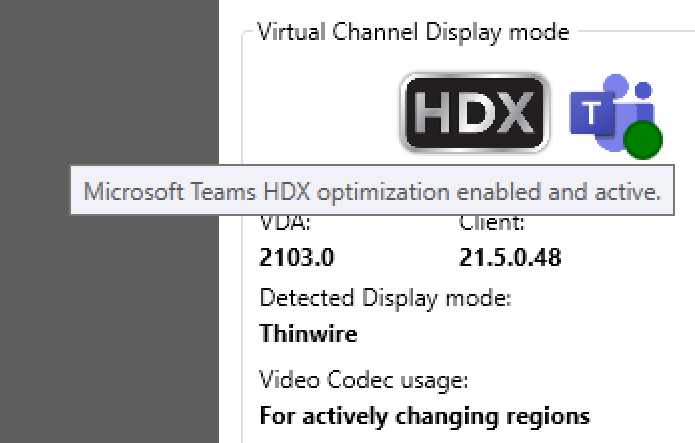
  • A new Teams Offloading status has been added for Microsoft AVD, Citrix & VMware

Teams Citrix

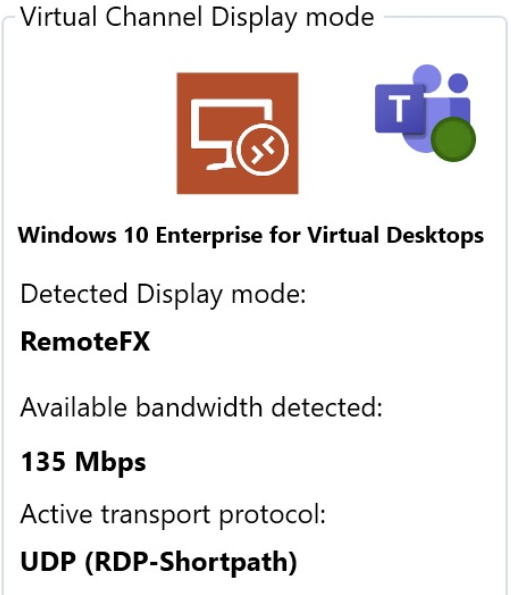
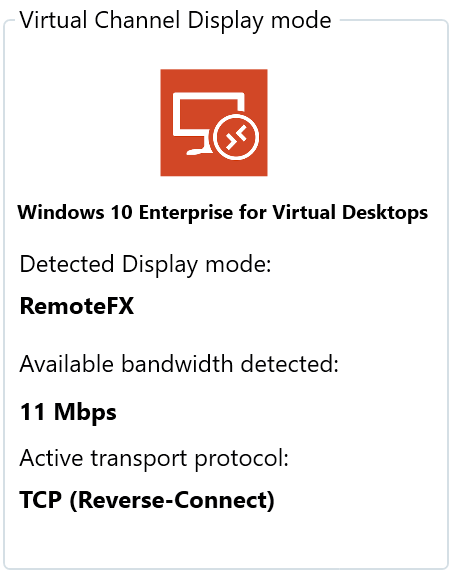
  • Support for Microsoft Azure Virtual Desktop (AVD) RDP Shortpath

AVD Shortpath

  • A new Citrix Build-to-Lossless Quality Slider has been added

indicator

  • Added GUI ability to turn on/off NVIDIA GPU monitoring

gpu_enable_disable

  • RDA now supports session disconnect / reconnect, monitoring now continues if session is reconnected
  • A Microsoft Max FPS Policy check for server\multi session OS has been added
  • Fixed NVIDIA license detection issue with server\multi session OS
  • Support for all the latest Microsoft, Citrix and VMware versions
  • Various fixes and improvements

You can check which RDA build you are using by clicking on the about (i) button at the top of the RDA window. You will also find the possible parameters there.
Thanks for all the community feedback received. The 2106 version is now available on the website.

Remote Display Analyzer 2007 released

Hi all,

Happy to announce that a new version of Remote Display Analyzer (RDA) has been released: RDA version 2007.

What’s new in Remote Display Analyzer version 2007:

  • RDS GPU policy detection, reminder to configure this setting and easily verify if GPU is leveraged for RDS workloads

  • Multi language OS support for RDS\WVD
  • Enhanced support for Citrix EDT with MTU size detection, MTU discovery detection and available EDT bandwidth detection

  • The Receiver client version is now detected and displayed next to the detected VDA version
  • Citrix Glyph detection support
  • Citrix build to lossless configuration option has been added

  • Support for the latest Windows 10 Builds
  • Support for the latest Citrix VDA (2006) version
  • Support for the latest VMware Horizon (7.12) version
  • Various Fixes and improvements

You can check which RDA build you are using by clicking on the about (i) button at the top of the RDA window. You will also find the possible parameters there.
Thanks for all the community feedback received. The 2007 version is now available on the website.

Remote Display Analyzer 1911 released

Hi all,

Happy to announce that a new version of Remote Display Analyzer (RDA) has been released: RDA version 1911.

What’s new in Remote Display Analyzer version 1911:

  • RDA now supports the latest Windows 10 builds for both RDS and WVD deployments
  • Support for the latest Windows Virtual Desktop (WVD) Infrastructure agent

  • Support for the latest Citrix VDA (1909) version and latest HDX updates
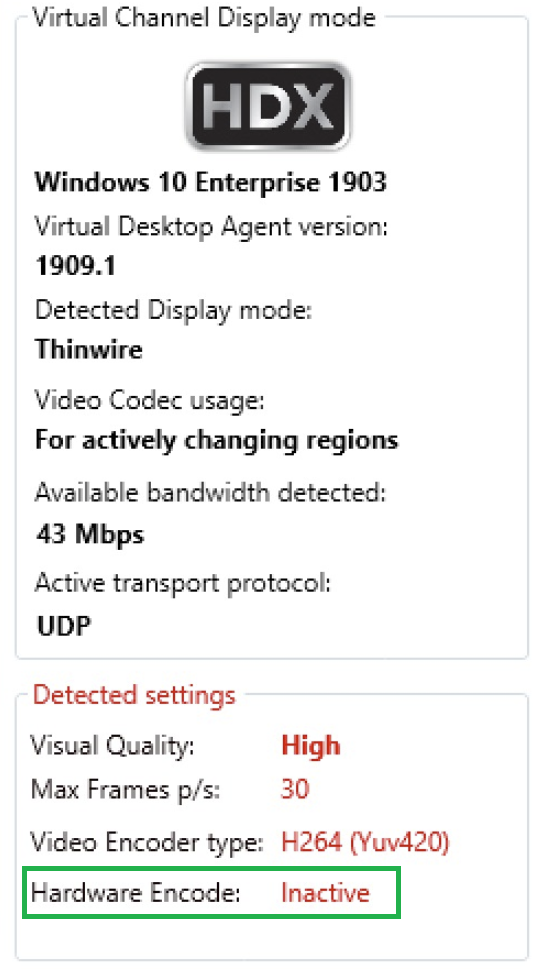
  • RDA will now also show you in real-time if hardware encode is being used. This is handy when you run workloads and want to verify if the video codec is leveraging hardware encoding. See screenshot below:

  • Support for the latest VMware Horizon (7.10) version and latest Blast updates
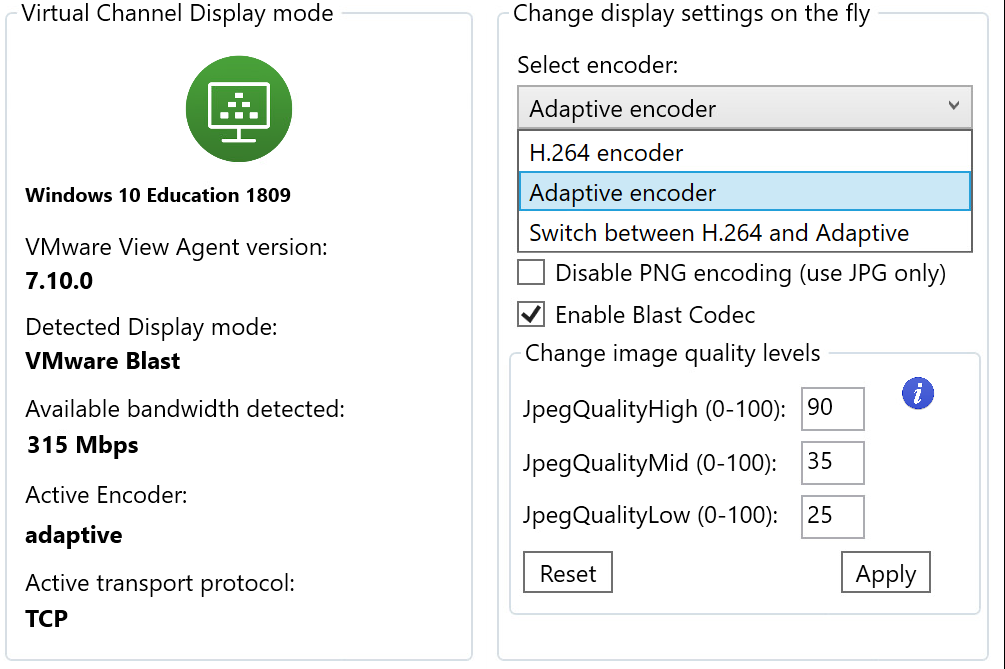
  • VMware Blast codec switching and the new Blast codec has been integrated (and can be changed on the fly):

  • Integration with click-to-photon: Click-to-photon uses a small device that can measure response times in remote display environments. You can find more information about the click-to-photon device on the GitHub page of Magnar Johnsen. The click-to-photon device is connected from the endpoint to the remote session using comport redirection. The tool running in the remote session generates screen updates and the device at the endpoint calculates the time between the remote screen update and the endpoint device receiving the update. This statistics are reported back in Remote Display Analyzer.

  • Last but not least: RDA build 1911 contains overall improvements and bug fixes

You can check which RDA build you are using by clicking on the about (i) button at the top of the RDA window. You will also find the possible parameters there.
Thanks for all the community feedback received. The 1911 version is now available on the website.