AppVentiX 4.1 is now available!

2024.AppVentiX Logo Signature

Excited to share that AppVentiX released a brand new version full of cool new features and improvements!
AppVentiX continues to be the go-to solution, recognized by IT industry experts for its real-time, user-friendly, and robust management of App-V and MSIX (app attach) applications across on-premises, hybrid, and cloud native environments.

Highlights of the new AppVentiX 4.1 release:

This release contains a lot of scalability improvements for large-scale environments, delivering higher performance and reduced load on network shares. 

Central View Enhancements

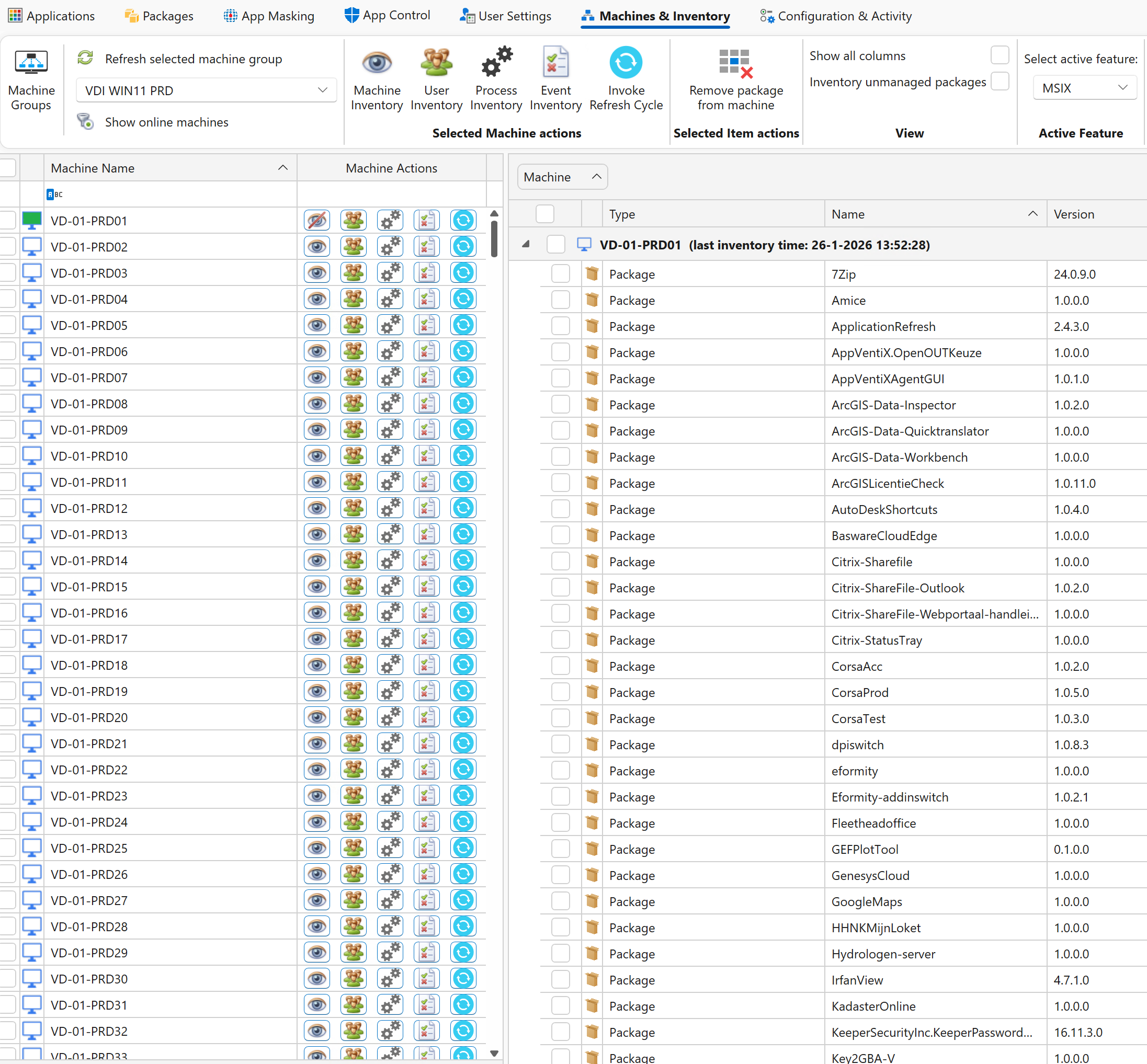
  • Optimized inventory caching mechanism, reducing content inventory processing time from seconds to milliseconds.
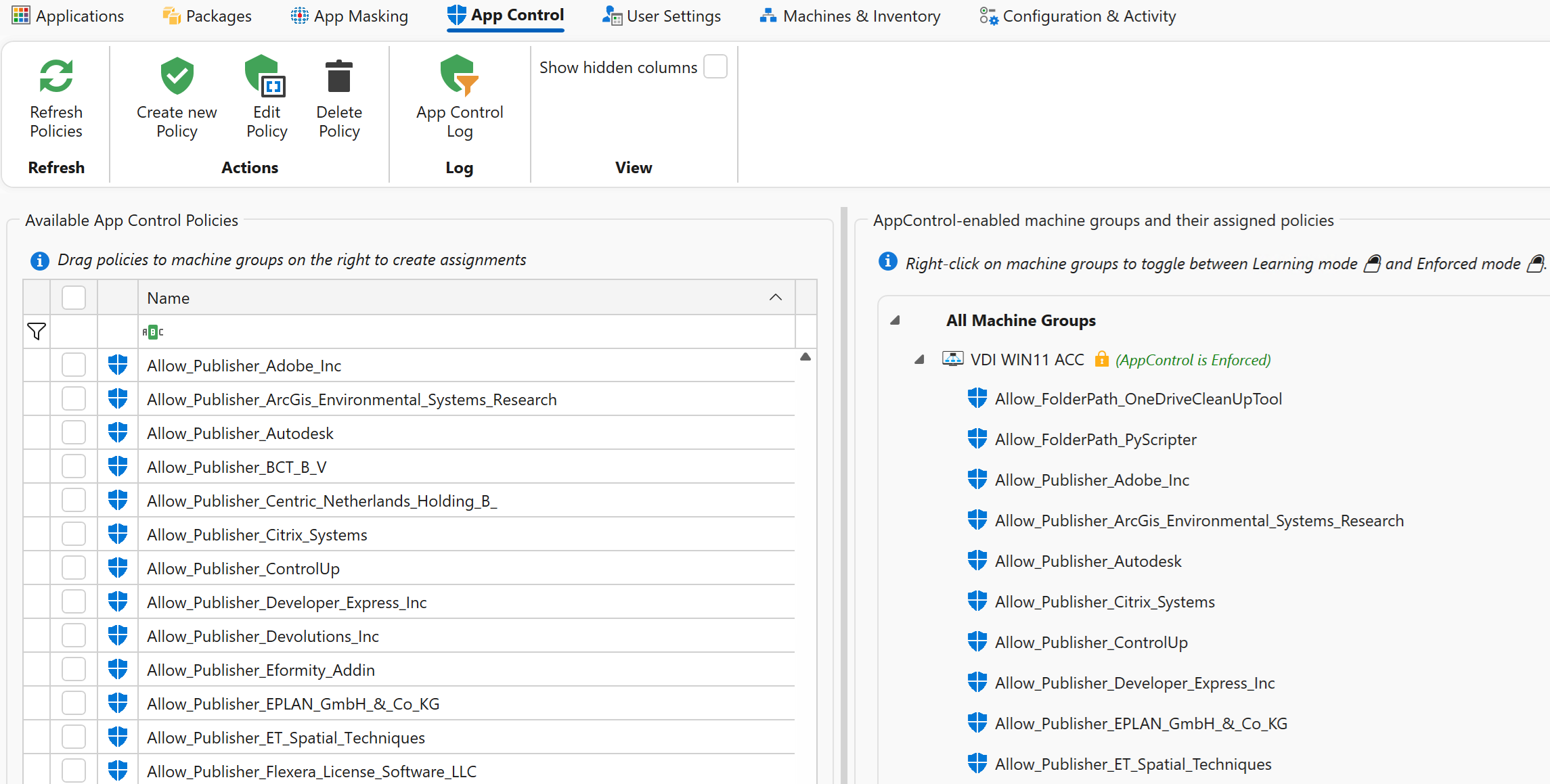
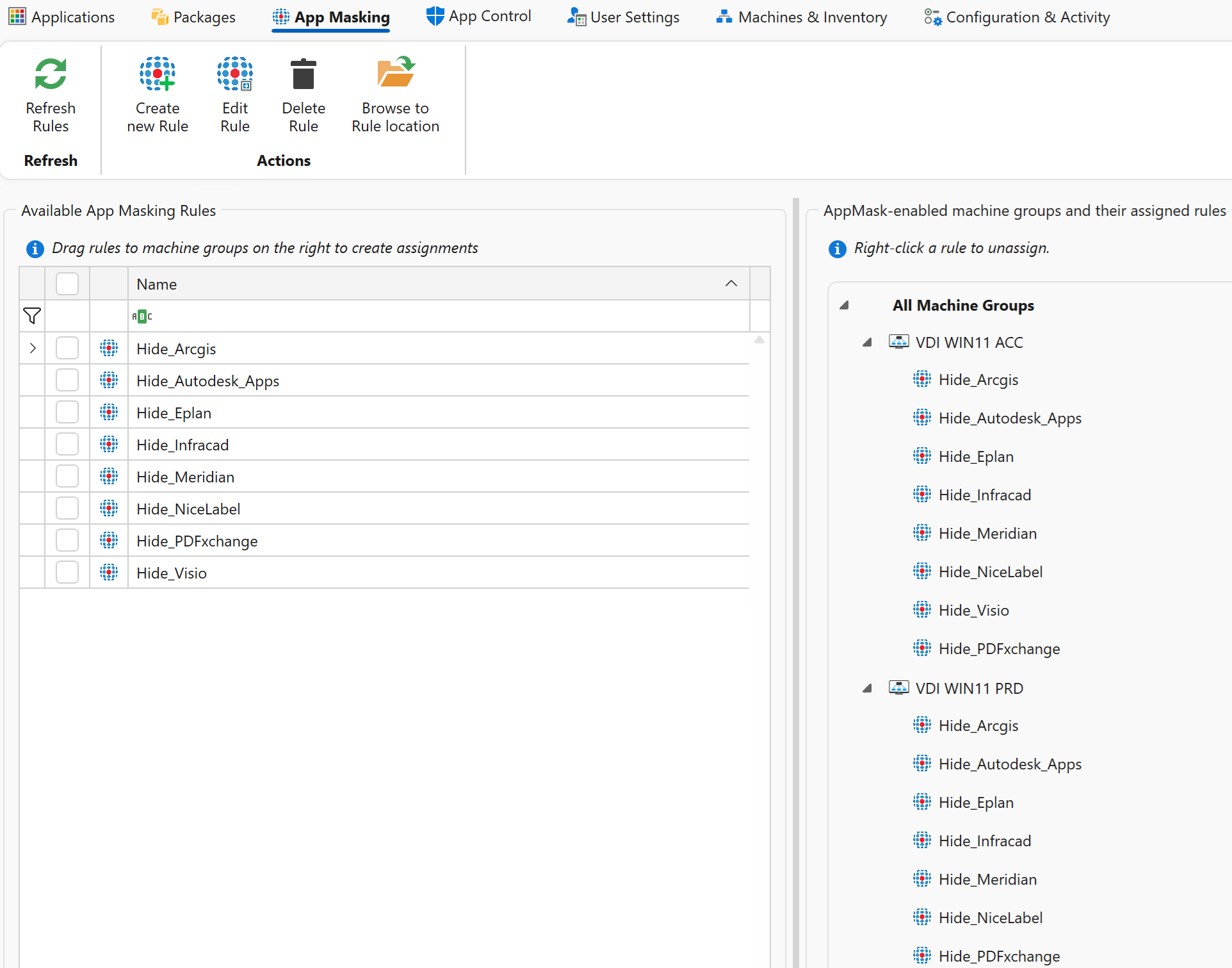
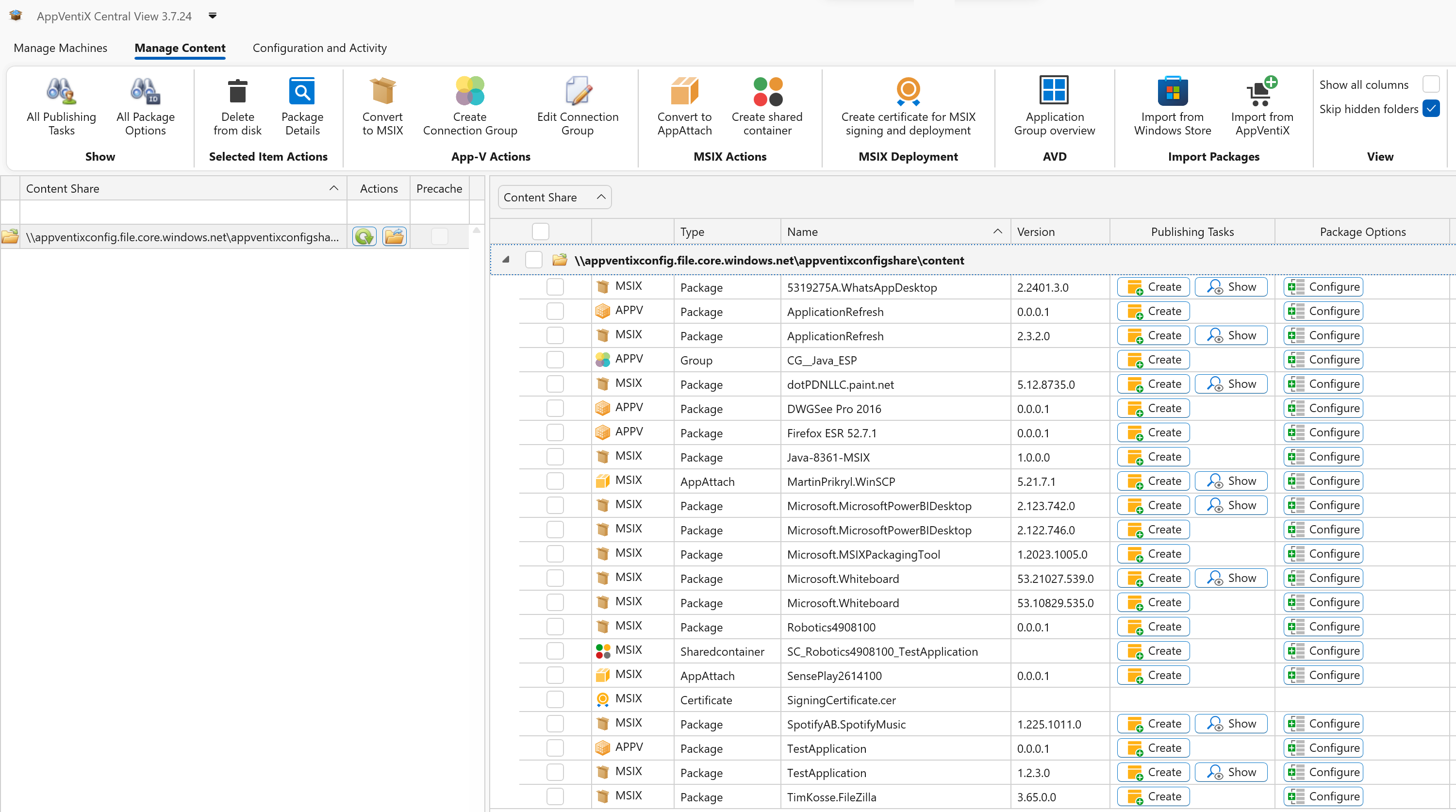
  • Improved content overview with dedicated views for Package content and App masking, making navigation more intuitive.
  • Right-click context menu updates and faster overall load times.
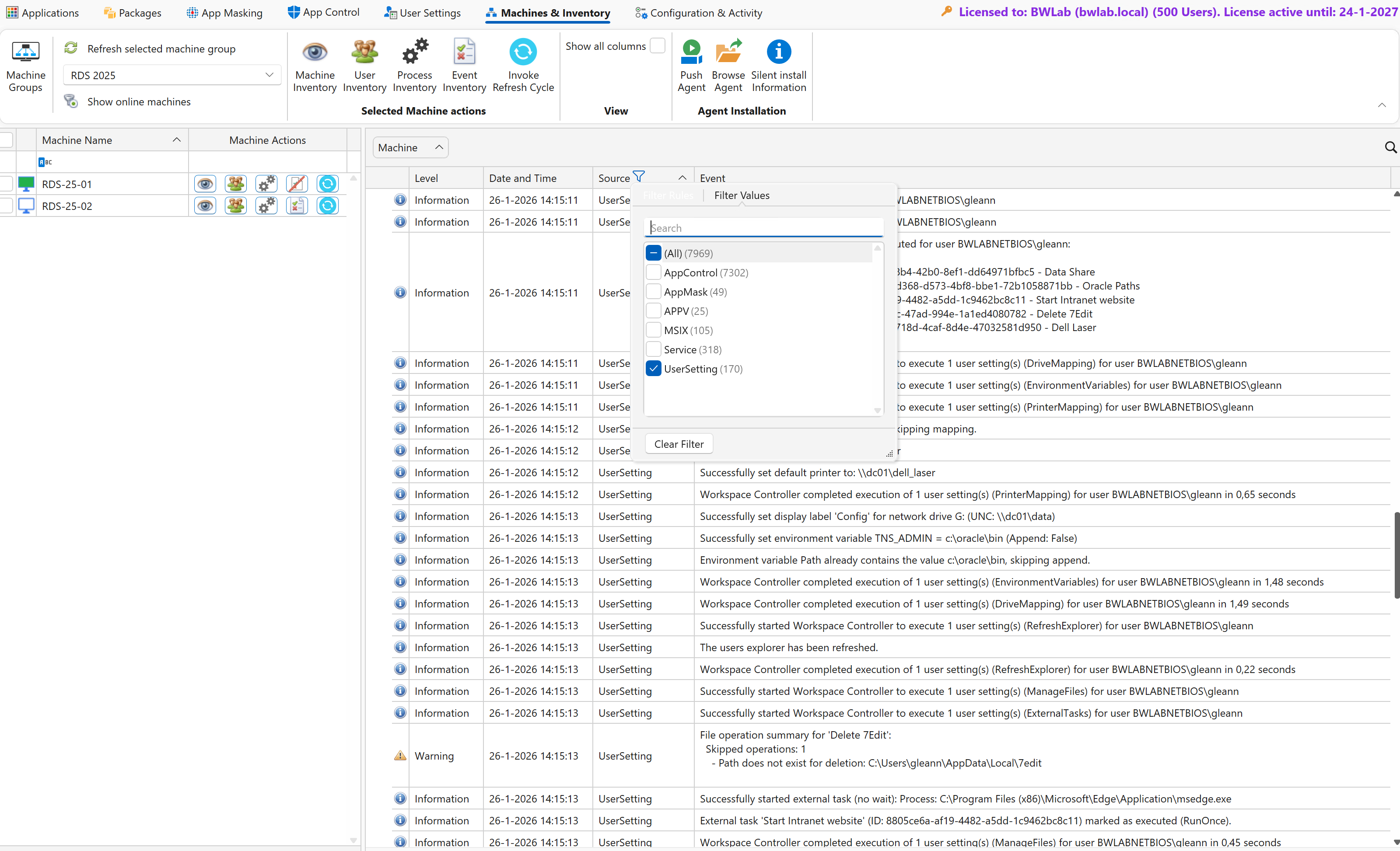
  • Added column filtering options in Central View for quicker sorting, searching, and data analysis.

Inventory Improvements

  • Enhanced multi-machine inventory handling.
  • New ability to change the inventory storage location (e.g., move to a different share).

Multi-Domain Support

  • Improved compatibility and functionality in multi-domain environments.

User Group Retrieval Enhancements

  • Updated group memberships can now be retrieved without requiring user logoff/logon, enabling immediate application availability after group assignment.

MSIX Improvements

  • Enhanced roaming support when using profile containers like FSLogix.
  • Improved expand to App Attach process.
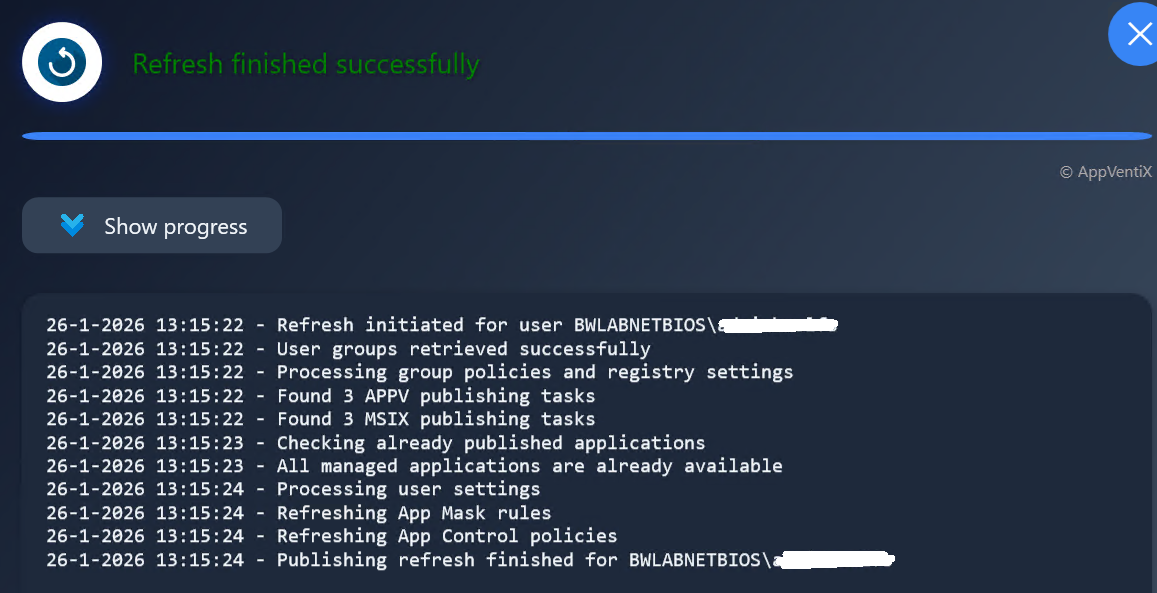
  • Package information is now correctly displayed in the refresh progress window.
  • Improved experience when importing applications from the Microsoft Store.
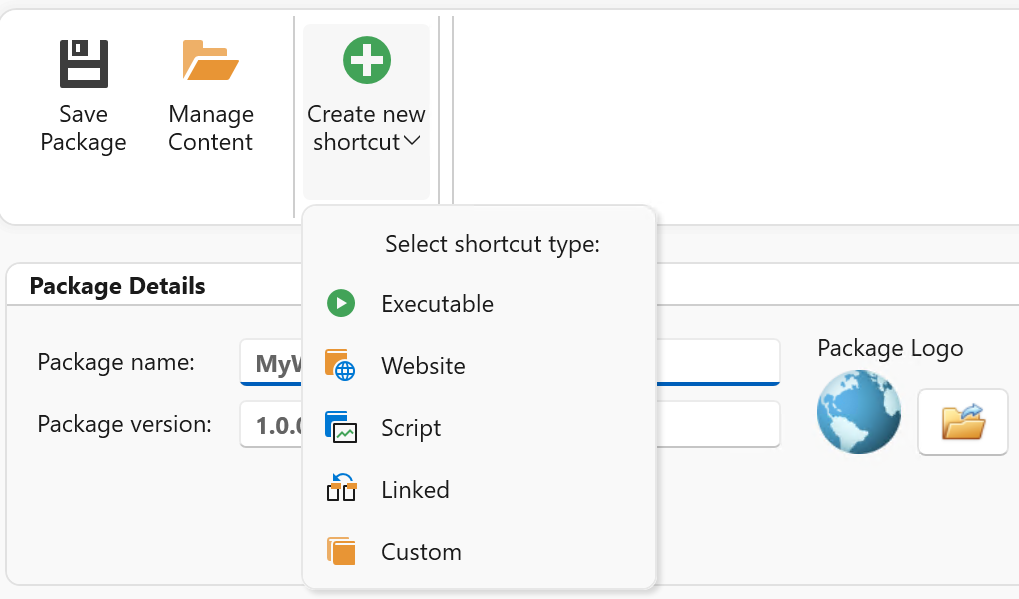
  • Easier creation of MSIX packages directly from the Central View console, with simplified management of shortcuts, scripts, and package content.

App-V Enhancements

  • New option to unpublish packages at logoff, ensuring a clean publishing state and preventing orphaned shortcuts.
  • Extended App-V client settings in agent configuration.
  • Support for multiple deployment configuration files in the same folder (see Admin Guide).
  • Agent GUI now supports mounting App-V packages.
  • By default, the agent GUI only displays packages published to the current user unless launched with administrative privileges.

Agent Stability Improvements

  • The AppVentiX Agent service will now retry if the initial configuration cannot be retrieved, instead of stopping.
  • General improvements to service stability and module loading.
  • Enhanced Citrix image mode detection.
  • Enhanced offline support with improved configuration caching for scenarios where the configuration share is unavailable.

Improved Refresh Experience

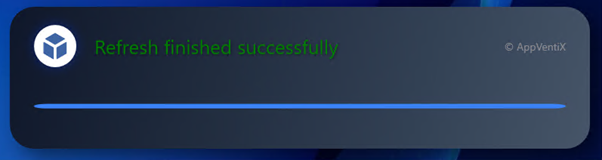
  • Package information is now accurately displayed during application refresh operations, both via the agent GUI and the dedicated Start Menu refresh applet, providing clearer status updates.

QUIC File Share Support

  • Full support for QUIC file shares, a secure SMB over SSL protocol compatible with on-prem and Azure file shares, based on the latest TLS standards.

AVD Integration Enhancements

  • Now supports multiple Azure subscriptions for better scalability in virtual desktop environments.

General Improvements

  • Numerous usability and UI updates.
  • Broad stability and scalability enhancements across the platform.
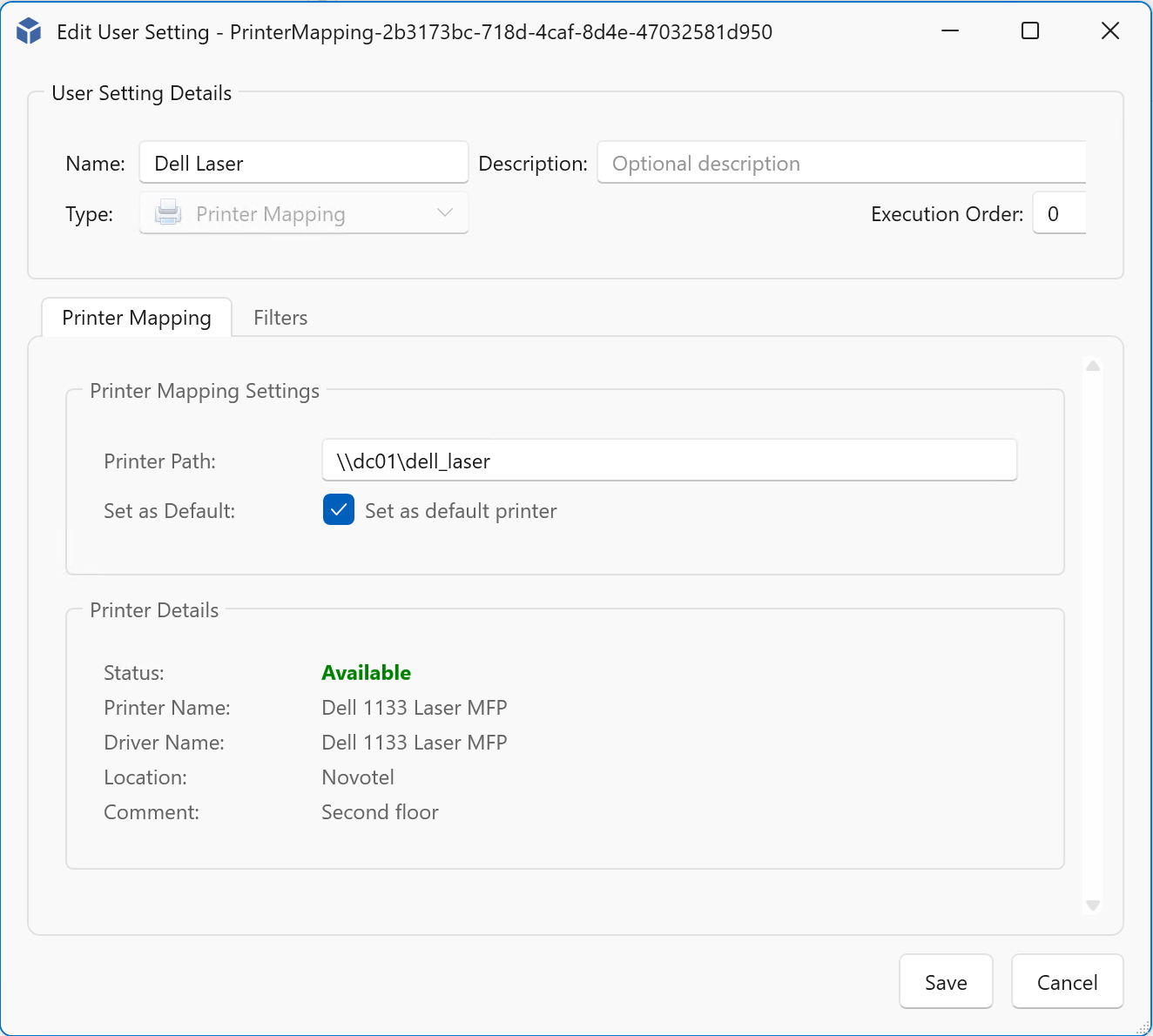
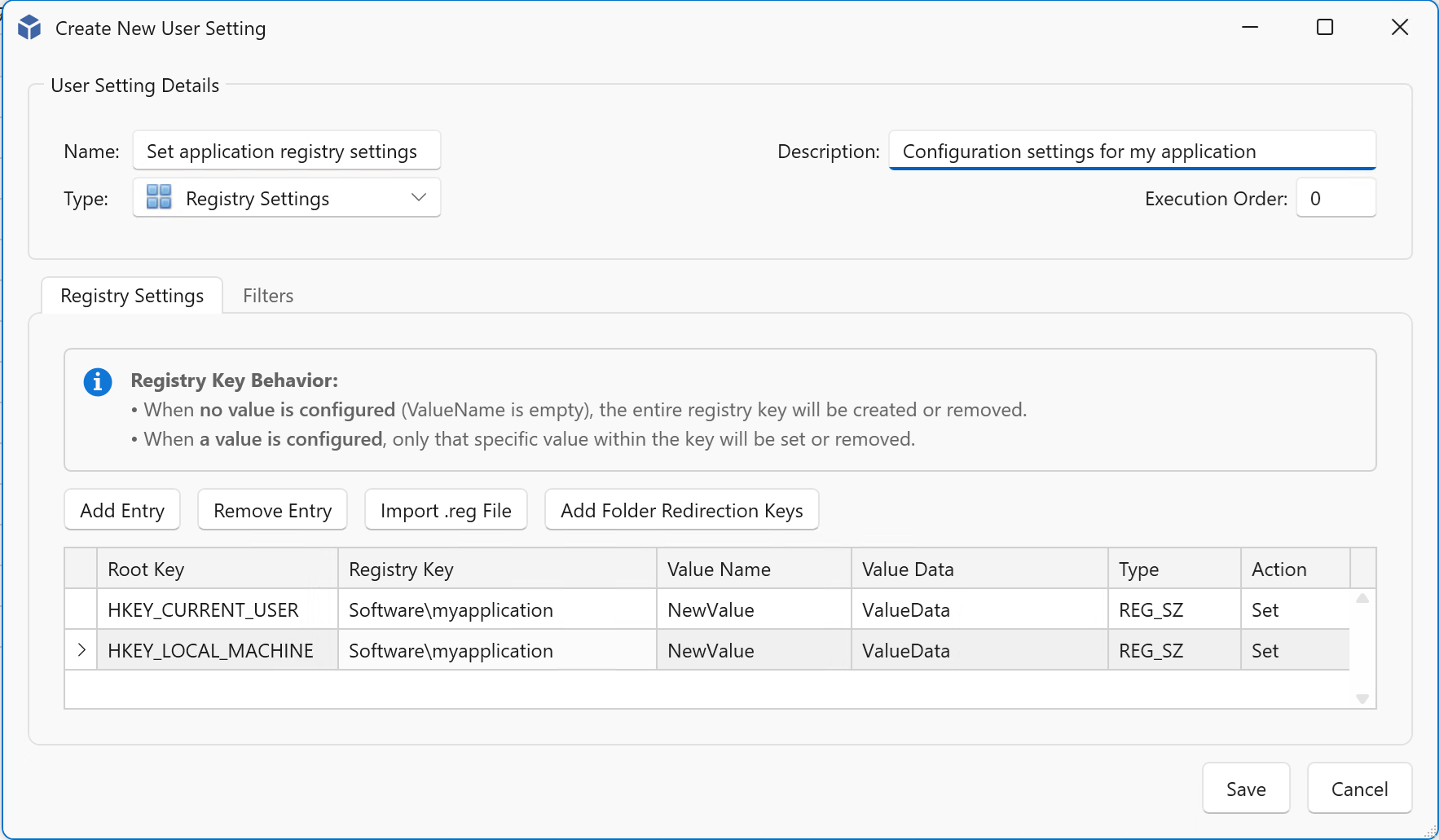
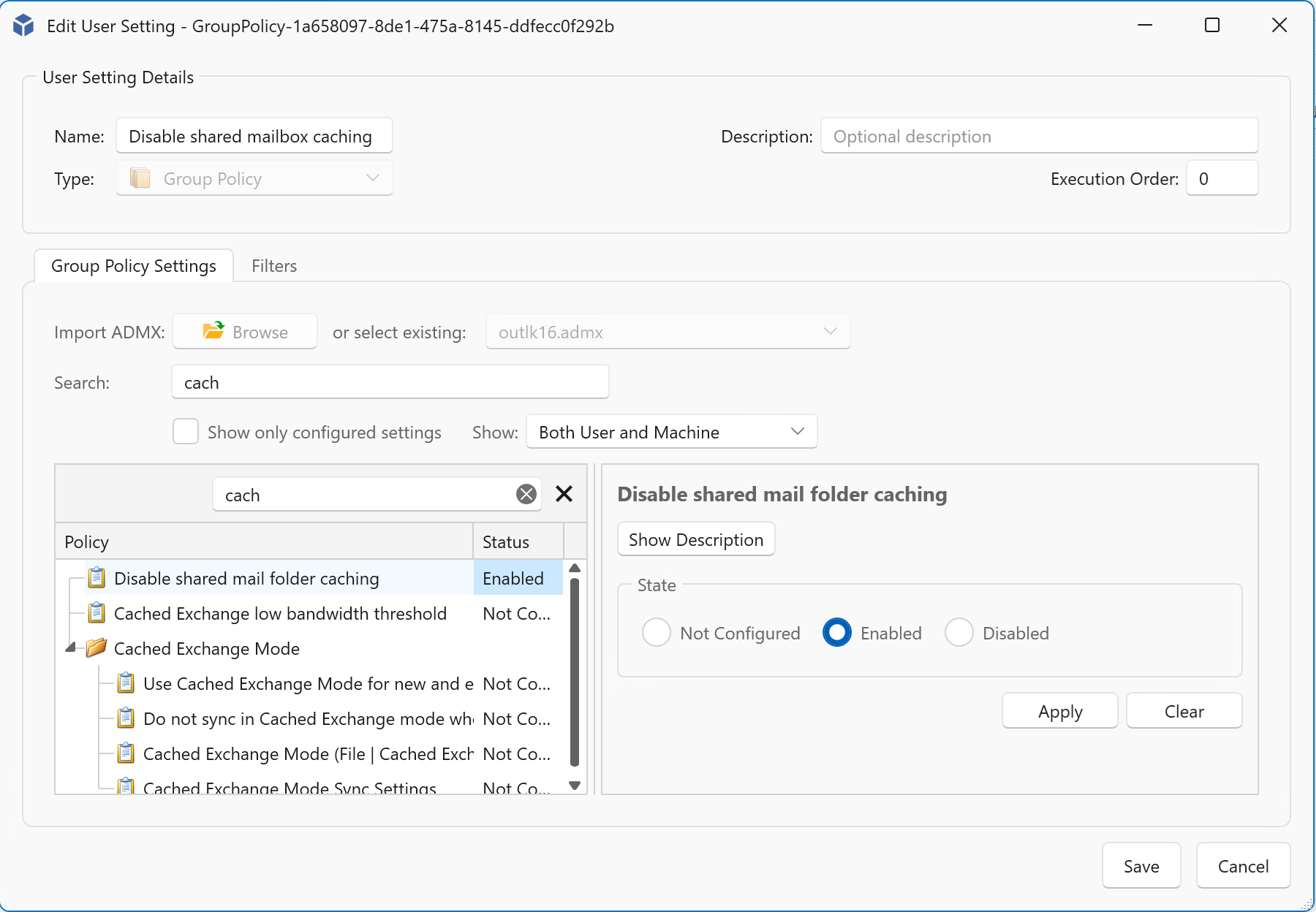
  • AppVentiX Powershell module improvements.

Other improvements and fixes

The following list of improvements are also implemented in version 4.1:

  • PowerShell Module UI Bug
    Fixed an issue where the “Show Icon” was missing for packages published via the AppVentiX PowerShell module.
  • Expand to App Attach could fail
    Resolved a problem where expand to App Attach failed for packages with long names.
  • MSIX Dependency Handling
    Fixed incorrect display of MSIX dependency packages in the package details view.
  • Regional Compatibility
    Addressed various localization issues on non-English operating systems.
  • App-V Client Module Load
    Improved reliability in loading App-V client modules by the service.
  • Other Fixes
    Various minor fixes and enhancements to improve overall stability and performance.

AppVentiX has a free community version and installs under 10 minutes, AppVentiX doesn’t need any back-end infrastructure. You will get immediate results which will make you confident about releasing new applications and updates in real-time. AppVentiX supports Azure Virtual Desktop (AVD), Windows 365, RDS, Omnissa and Citrix deployments both on-premises and in the cloud. Both persistent and non-persistent configurations are supported. The solution is powerful, light weight and integrates easily in your existing environment.

For more information visit the AppVentiX website:

AppVentiX 4.1 Release

Remote Display Analyzer 2503 released

Hi all,

I’m excited to announce that a new version of Remote Display Analyzer (RDA) is now available: RDA version 2503.

What’s New:

  • Microsoft AVD and Windows 365 – Updated to support the latest protocol changes, including RDP-Shortpath for improved connection performance.
  • Citrix – Enhanced compatibility with the latest Citrix VDA versions, now providing more detailed real-time statistics and improved session performance insights.
  • Omnissa – Added support for the latest Omnissa Horizon agent (formerly VMware Horizon) with the latest protocol updates
  • General Improvements and Fixes – Various optimizations and bug fixes to enhance overall stability and user experience.

Thanks for all the community feedback received. Version 2503 is now available on the website.

AppVentiX 4.0 is now available!

2024.AppVentiX Logo Signature

Excited to share that AppVentiX released a brand new version full of cool new features and improvements!
AppVentiX continues to be the go-to solution, recognized by IT industry experts for its real-time, user-friendly, and robust management of App-V and MSIX (app attach) applications across on-premises, hybrid, and cloud native environments.

Highlights of the new AppVentiX 4.0 release:

  • Application Overview: A streamlined new console feature that displays all applications within your packages, complete with icons and their designated locations in the Start Menu
  • Package Creation and Editing: Effortlessly create and manage packages directly from the console allowing file management, registry and shortcut modifications with just a few clicks
  • Workspace management capabilities: Simplify the creation and management of shortcuts, files, and settings with an intuitive, user-friendly interface
  • Bulk Resigning of MSIX Packages: Easily bulk resign your MSIX packages with just a few clicks, saving time and effort
  • Auto-Start Applications: You can now designate one or more applications from your App-V and/or MSIX packages to automatically start when users log in
  • Integration with TMEdit(x): Quickly analyze and assess your packages using seamless integration with TMEdit(x)
  • New Publishing Refresh Progress Window: A refreshed status window has been added to the agent, along with a new application refresh package available in the AppVentiX store. This update provides real-time visibility into the publishing progress.
  • Extended App-V Support: Even though Microsoft is retiring the App-V management infrastructure, the App-V client will still be supported. AppVentiX ensures full deployment capabilities without the need for App-V management components, fully supported by both AppVentiX and Microsoft
  • First-Day Support for Windows Server 2025 and Latest Windows 11 Builds: AppVentiX is fully compatible with Windows Server 2025 and the latest Windows 11 builds, ensuring smooth integration with App-V, MSIX, and app attach features
  • Additional Improvements and Fixes: A variety of other enhancements are included. For full details, click the button below to access the complete release notes, including screenshots

AppVentiX has a free community version and installs under 10 minutes, AppVentiX doesn’t need any back-end infrastructure. You will get immediate results which will make you confident about releasing new applications and updates in real-time. AppVentiX supports Azure Virtual Desktop (AVD), Windows 365, RDS, Omnissa and Citrix deployments both on-premises and in the cloud. Both persistent and non-persistent configurations are supported. The solution is powerful, light weight and integrates easily in your existing environment.

Check out the full AppVentiX 4.0 release notes (including screenshots) here:

AppVentiX 4.0 Release

AppVentiX 3.8 is now available!

Splash_Small

Excited to share that AppVentiX released a brand new version full of cool new features and improvements!
AppVentiX continues to be the go-to solution, recognized by IT industry experts for its real-time, user-friendly, and robust management of App-V and MSIX (app attach) applications across on-premises, hybrid, and cloud native environments.

Highlights of the new AppVentiX 3.8 release:

  • The content inventory is now cached, resulting in significantly faster inventory times
  • The content inventory cache is retained after the console is closed and reopened
  • Unpublishing unmanaged packages now occurs after the publishing of new packages
  • Updated App-V deployment configuration files are processed automatically, eliminating the need to remove and add the package again
  • Updated App-V user configuration files are also processed automatically
  • App-V global publishing tasks can now also be used to seamlessly publish as RemoteApp
  • It is now possible to copy the icon for seamless publishing scenarios when AVD integration is not enabled
  • Multiple AVD integration improvements, including authentication enhancements and publishing of App-V and MSIX applications to AVD
  • App attach disks created by AppVentiX now include the package name as the label for easy recognition when mounted on a machine
  • Teams import and deployment optimizations have been made, including improved automatic installation of the meetings add-in
  • General improvements to the MSIX deployment mechanism
  • When pre-cache is enabled for a content share, older versions of a package are no longer pre-cached if a newer version exists
  • When the refresh timer is configured it’s now possible to select which part of the refresh cycle to execute (user refresh, cache refresh or both)
  • The refresh cycle can now be triggered in four ways: remotely via the Central View console, using the AppVentiX Agent GUI, on a configured time interval, or through PowerShell. Additionally, it is now possible to invoke both parts of the refresh cycle independently using PowerShell, allowing for user refresh, cache refresh, or both. The admin guide includes the PowerShell commands for these operations.
  • Optimizations have been made for offline scenarios, with user publishing now automatically skipped when the refresh timer is triggered
  • Improvements in converting App-V to the MSIX format
  • Enhancements to the MSIX certificate creation process and it is now possible to import the certificate to the local certification store for easy selection
  • Fixed an issue where MSIX packages could be removed from the machine automatically
  • Optimizations for MSIX deployment and management on multi-session operating systems
  • The setting “Only execute publishing tasks for packages on a configured content share for the machine group” is now enabled by default
  • Improvements to the AppVentiX PowerShell module
  • Optimizations to the AppVentiX Agent event log
  • Various additional fixes and enhancements

AppVentiX has a free community version and installs under 10 minutes, AppVentiX doesn’t need any back-end infrastructure. You will get immediate results which will make you confident about releasing new applications and updates in real-time. AppVentiX supports Azure Virtual Desktop (AVD), Windows 365, RDS, VMware and Citrix deployments both on-premises and in the cloud. Both persistent and non-persistent configurations are supported. The solution is powerful, light weight and integrates easily in your existing environment.

Check out the full AppVentiX 3.8 release notes here:

https://appventix.com/appventix-3-8/

Missing Microsoft.WindowsAppRuntime Dependency MSIX package

During multiple MSIX implementations at customers I noticed that the new MSIX packaging tool version can detect that a dependency package is needed for example when a desktop shortcut is created. You will find a warning in the eventlog when a package is deployed when this dependency (Microsoft.WindowsAppRuntime.1.4) is not deployed on the machine. In this blogpost I will show you how you can easily deploy this dependency package with AppVentiX.

As you can see in the manifest the dependency is added:

Others are reporting the same here and here.

With AppVentiX it’s easy to deploy this dependency automatically, just download the dependency by downloading the redistributable file from here.

After unzipping the file you will find the MSIX package in the x64 folder.
Create a folder Dependencies next to the MSIX package on the content share like below screenshot:

Then place the dependency package inside the folder:

That’s it, AppVentiX will now automatically install the dependency package for you.

AppVentiX 3.7 is now available!

Splash_Small

Excited to share that AppVentiX released a brand new version full of cool new features and improvements!
AppVentiX continues to be the go-to solution, recognized by IT industry experts for its real-time, user-friendly, and robust management of App-V and MSIX (app attach) applications across on-premises, hybrid, and cloud native environments.

Highlights of the new AppVentiX 3.7 release:

  • Enhanced Central View Console: Now featuring Windows 11-inspired themes with automatic detection of light and dark mode preferences.
  • Effortless Package Imports: Seamlessly import packages from both the Windows Store and AppVentiX Store.
  • Import packages from AppVentiX: This includes test applications for deployment validation, along with a convenient application refresh tool. This allows users to initiate a refresh at their convenience directly from their start menu.
  • AppVentiX PowerShell Module: A new PowerShell module for automating the creation of publishing tasks.
  • Enhanced Active Directory Integration: Introduces Active Directory group matching based on SID.
  • Azure AD and AVD Integration: Improvements for seamless integration with Azure AD and Azure Virtual Desktop.
  • MSIX Staging Improvements: Streamlined MSIX staging and automatic deployment of dependencies.
  • Automated Disk Detachment: New feature to automatically detach unused app attach disks.
  • Selective Publishing Tasks: Introduces a feature allowing the processing of publishing tasks only for packages on designated content shares configured for the machine group.
  • Improved Package Drain Feature: Enhancements to the package drain feature.
  • Efficient Migration: Improved migration tools for transitioning from App-V to MSIX, alongside enhanced side-to-side management.
  • And Much More: Explore additional enhancements and features in this release!

AppVentiX has a free community version and installs under 10 minutes, AppVentiX doesn’t need any back-end infrastructure. You will get immediate results which will make you confident about releasing new applications and updates in real-time. AppVentiX supports Azure Virtual Desktop (AVD), Windows 365, RDS, VMware and Citrix deployments both on-premises and in the cloud. Both persistent and non-persistent configurations are supported. The solution is powerful, light weight and integrates easily in your existing environment.

Check out the full AppVentiX 3.7 release notes here:

https://appventix.com/appventix-3-7/

Windows 11-Inspired themes and automatic detection of light and dark mode preferences

ContentPage

Dark Mode-Optimized

Connection Experience Indicator for RDS, AVD & W365

(Current version 1.3) (update 07-09-2024), this blogpost contains all updates to keep everything consolidated.

I created a tool for RDS, AVD and Windows365 environments that notifies users about changes in the user experience.  It is called the Connection Experience Indicator. This tool does the following:

  • Support users by pointing out issues that affects the user experience
  • Reduce the number of help desk calls related to user experience issues
  • Show notifications about the latency to the virtual desktop. Notify when the latency is good and warn when latency is high or very high
  • Show notifications about the available bandwidth. Notify when the available bandwidth is good and warn when the available bandwidth is weak or poor
  • Integrated in the Windows 10 & 11 notification center
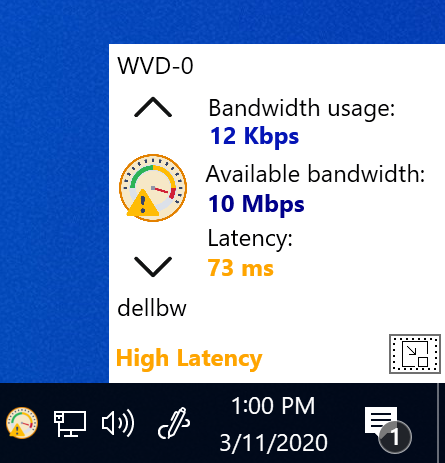
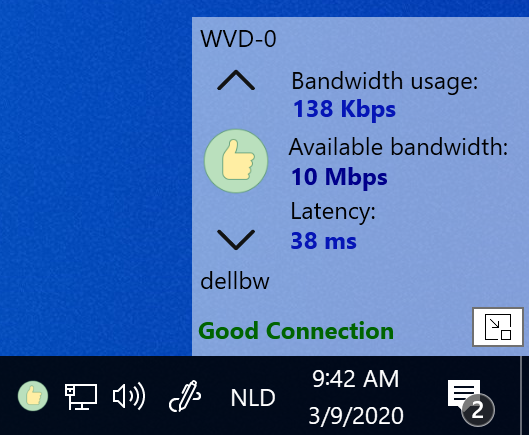
  • Integrated in the taskbar and when you click on the icon a small window will be shown that provides real-time information about the connection to the virtual desktop
  • Single exe (no installation required) can be easily started with login script or other mechanism
  • The tool can be configured with parameters so it can be adjusted to your environment (please find all settings below)
  • Log connection changes in event viewer so they can be used to analyze in, for example, Azure log analytics

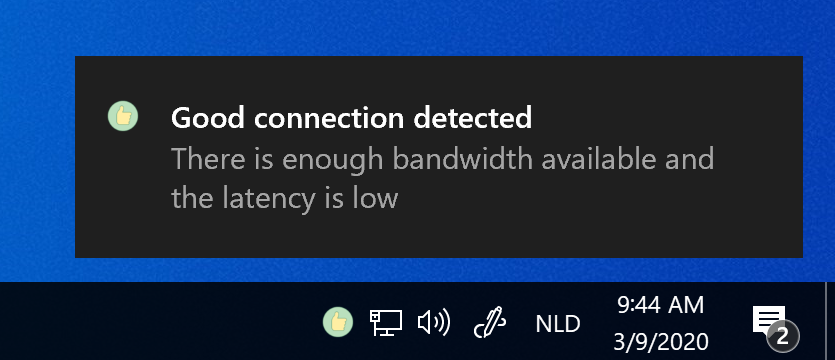
When the Connection Experience Indicator starts it will notify the user about the connection to the virtual desktop:

When you click on the icon you will see the client name, the virtual desktop name and real-time information about the connection:

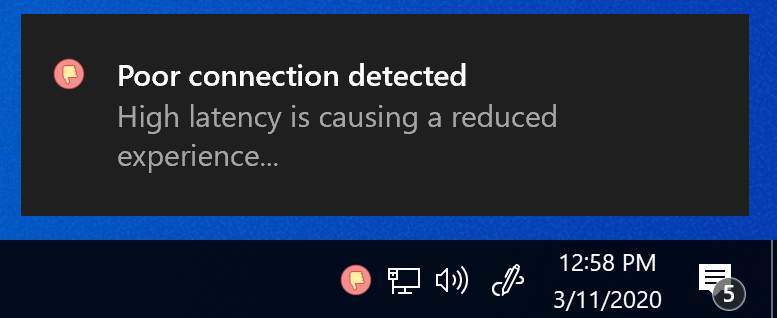
When the latency or available bandwidth is below the default or configured thresholds the user will be notified that the user experience might be affected:

The taskbar icon is changed and when you click on the icon you will see that the connection state has changed:

When users are in areas with poor internet conditions (hotels \ public WiFi, etc), the user gets notified that the user experience is affected:

Clicking on the icon will reveal a very high latency which is causing a reduced experience:

You can also change the window to transparent mode by clicking in the window. This will allow the window to run on top without being intrusive on the screen:

You can also drag the window around and place it somewhere else on the screen.

The Connection Experience Indicator can be configured with parameters so you can adjust it to your own environment and preferences. But please note that you don’t have to configure parameters, if a parameter is not provided it runs with the default values:

Parameter Use case Default value
-pb The poor available bandwidth threshold (Mbps). When this threshold is reached a poor connection notification is shown. 2
-pl The poor latency threshold (ms). When this threshold is reached a poor connection notification is shown. 150
-wb The weak available bandwidth threshold (Mbps). When this threshold is reached a weak connection notification is shown. 5
-wl The weak latency threshold (ms). When this threshold is reached a weak connection notification is shown. 75
-measureinterval The time interval that thresholds are measured and real-time information is updated (in seconds) 5
-shownotifications Enable\Disable if notifications are displayed to the user True
-timetoshownotification The time a notification will be displayed before it disappears (in seconds) 10
-timebetweennotifications The time between notifications, a notification is always displayed when the connection state changes. If the state doesn’t change a notification will be displayed every x period to update the user about the connection state 3600 (1 hour)
-transparent Configure if the window will open in transparent mode by default False

Example:
ExperienceIndicator.exe -pb 5 -wb 10 -pl 175 -wl 100 -transparent true

Logging is automatically enabled and can be disabled by adding the -log false parameter.

The Connection Experience Indicator is provided as community tool for free without warranty of any kind.

Note for (Enterprise) customers that are in need for a supported version:
It’s possible to request a company license for Remote Display Analyzer this also includes support for the Connection Experience Indicator.

Please click here to download the latest version of the Connection Experience Indicator.

Release notes:

1.1 : Initial release
1.2: Fixed an issue that could cause high CPU usage when the session was disconnected or locked, the session state detection has been improved, added support for other (native installed) OS languages, executable is now signed with correct timestamp
1.3: Multiple fixes and improvements, new logging feature to submit connection state changes to the eventlog

Remote Display Analyzer 2305 released

Hi all,

Happy to announce that a new version of Remote Display Analyzer (RDA) has been released: RDA version 2305.

What’s new in Remote Display Analyzer 2305:

  • Support for latest Citrix protocol updates and Citrix IDD detection has been added
  • Support for latest VMware protocol updates and a new Blast optimizer slider has been added
  • Support for latest Microsoft protocol updates in AVD and Windows365
  • Support for latest Nutanix Frame protocol updates and enhanced detection mechanism
  • Added preparations for GPU hardware monitor for AMD and Intel GPU’s
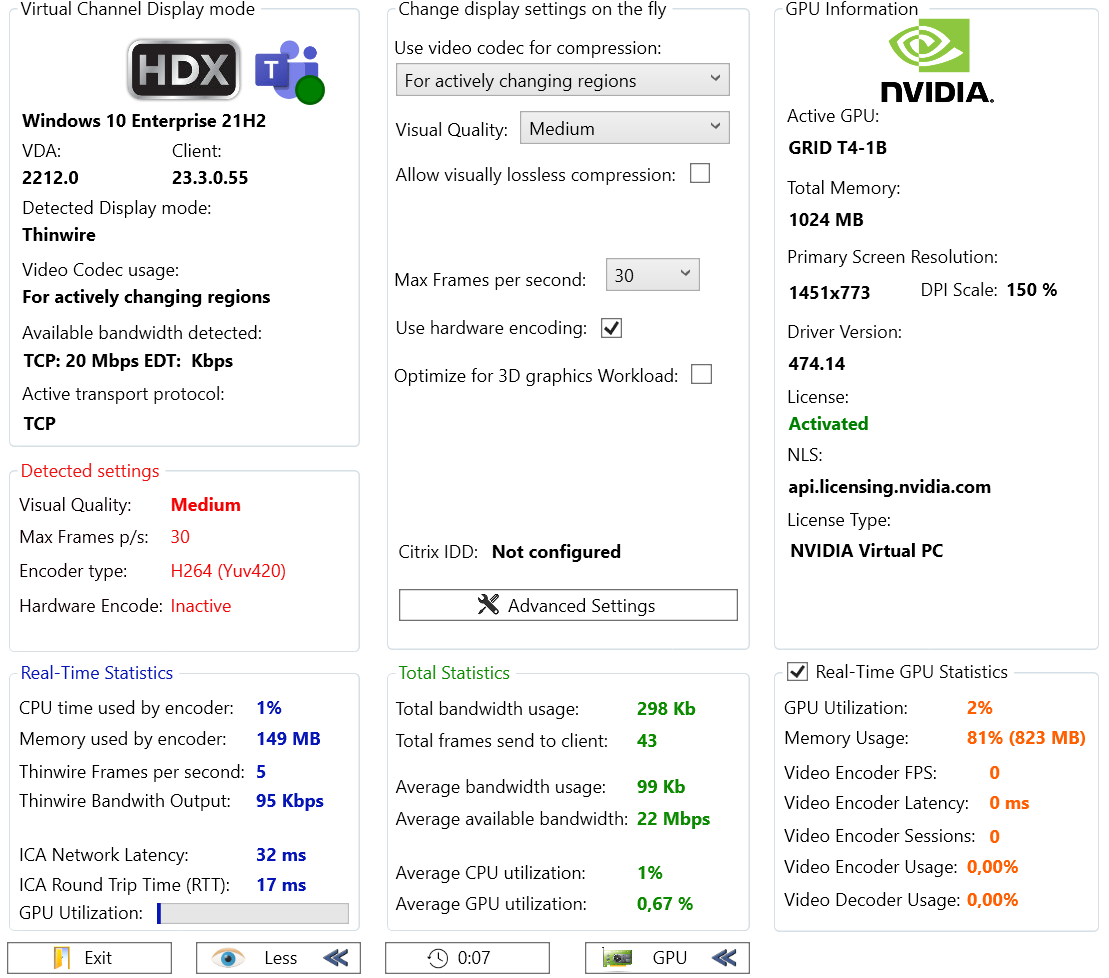
  • Enhanced NVIDIA integration and support for CLS\DLS licensing has been added (see screenshot below)
  • Other improvements and bug fixes

RDA2305

Thanks for all the community feedback received. Version 2305 is now available on the website.

AppVentiX 3.5 is now available!

Splash_Small

What’s new in AppVentiX 3.5

  • A new housekeeping functionality has been added, AppVentiX will now automatically detect if there are publishing tasks configured for non-existing packages. For example when a package has been updated or removed from the content share you will receive below informational pop-up so you are aware of any publishing tasks that are pointing to non-existing packages. From here, you can directly cleanup the old publishing tasks, this will keep your application publishing information clean and consistent.
  • A new app attach feature has been added which allows you to import existing app attach packages created with other tools. When new app attach packages are found in the content inventory the below popup is displayed allowing you to import the app attach package. After import they become visible in the content inventory and are instantly ready for delivery.
  • You can now select a custom icon when publishing applications to AVD. By default the icon from the selected application is used. Now you can also select another icon by clicking on the icon button.
  • It’s now easier then ever to configure MSIX package data to roam with the user. Just select the profile solution you are using and AppVentiX will make sure the MSIX data is roamed with the user correctly. Below a screenshot of the options you can configure for MSIX data roaming. Also new logging have been added for this feature.
  • Launching applications and processes through the AppVentiX agent GUI has been improved for both App-V and MSIX. You can now select between applications in the package and easily select the application you want to start, also shortcut launch is now supported.
  • Remote machine inventory can now be configured to use SSL
  • Fix has been added for deploying FSlogix Java rule sets
  • Fix has been added for publishing applications in AVD where the hostpool is in a different Azure resource group then the AVD workspace
  • Sometimes when removing a publishing task, the application was not unpublished automatically from AVD, this has been fixed
  • It’s now possible to start new published AVD applications without having to run a refresh for already logged in users. This also works for applications published in Citrix
  • Timestamp server is now automatically populated when converting packages to MSIX
  • The convert to MSIX app attach feature has been improved
  • Logging has been improved, it’s easier to navigate and find information
  • Multiple other fixes and improvements

AppVentiX has a free community version and installs under 10 minutes, AppVentiX doesn’t need any back-end infrastructure. You will get immediate results which will make you confident about releasing new applications and updates in real-time. AppVentiX supports Azure Virtual Desktop (AVD), Windows 365, VMware and Citrix deployments both on-premises and in the cloud. Both persistent and non-persistent configurations are supported. The solution is powerful, light weight and integrates easily in your existing environment.

Check out the AppVentiX 3.5 release notes (including screenshots) here:

https://appventix.com/appventix-3-5/

AppVentiX 3.4 is now available!

Splash_Small

What’s new in AppVentiX 3.4

  • Agent push: it’s now possible to remotely push the agent installation to machine(s), this makes it easy to install and upgrade the agent directly from the Central View console. Silent and automated installations are still possible.
  • The OU picker has been re-designed and gives a better experience when a machine group is configured
  • You can now select multiple machines in the machine inventory, this makes it possible to inventory only selected machines and invoke the refresh cycle on only selected machines instead of the whole machine group
  • New columns have been added in the content inventory: You can now see the package size and other detailed package information in the content inventory.
  • Extended support for seamless application publishing scenarios (RemoteApp without full desktop), besides applications from the package it’s now also possible to select scripts and native processes.
  • You can now see which packages have a deployment configuration file configured in the content inventory
  • The Azure Virtual Desktop (AVD) integration has been enhanced and it’s now also possible to easily switch between subscriptions and tenants. This makes it easy to manage multiple AVD environments across different subscriptions.
  • Improved support for Azure file shares
  • Support for nested groups and multi-domain environments has been enhanced
  • The agent can now enable the App-V client, no need to enable it separately
  • The agent can now enable remote management automatically
  • You can now see which content share(s) have pre-cache enabled in the content inventory
  • The MSIX app attach conversion and integration has been enhanced
  • Enhanced MSIX package update process
  • Enhanced integration with Fslogix and support for Java rule sets have been added
  • The installation and upgrade has been simplified and the time to get up and running has been reduced
  • Multiple other fixes and improvements

AppVentiX has a free community version and installs under 10 minutes, AppVentiX doesn’t need any back-end infrastructure. You will get immediate results which will make you confident about releasing new applications and updates in real-time. AppVentiX supports Azure Virtual Desktop (AVD), Windows 365, VMware and Citrix deployments both on-premises and in the cloud. Both persistent and non-persistent configurations are supported. The solution is powerful, light weight and integrates easily in your existing environment.

Check out the AppVentiX 3.4 release notes (including screenshots) here:

AppVentiX 3.4 Release